
May 3, 2022
Template Updates
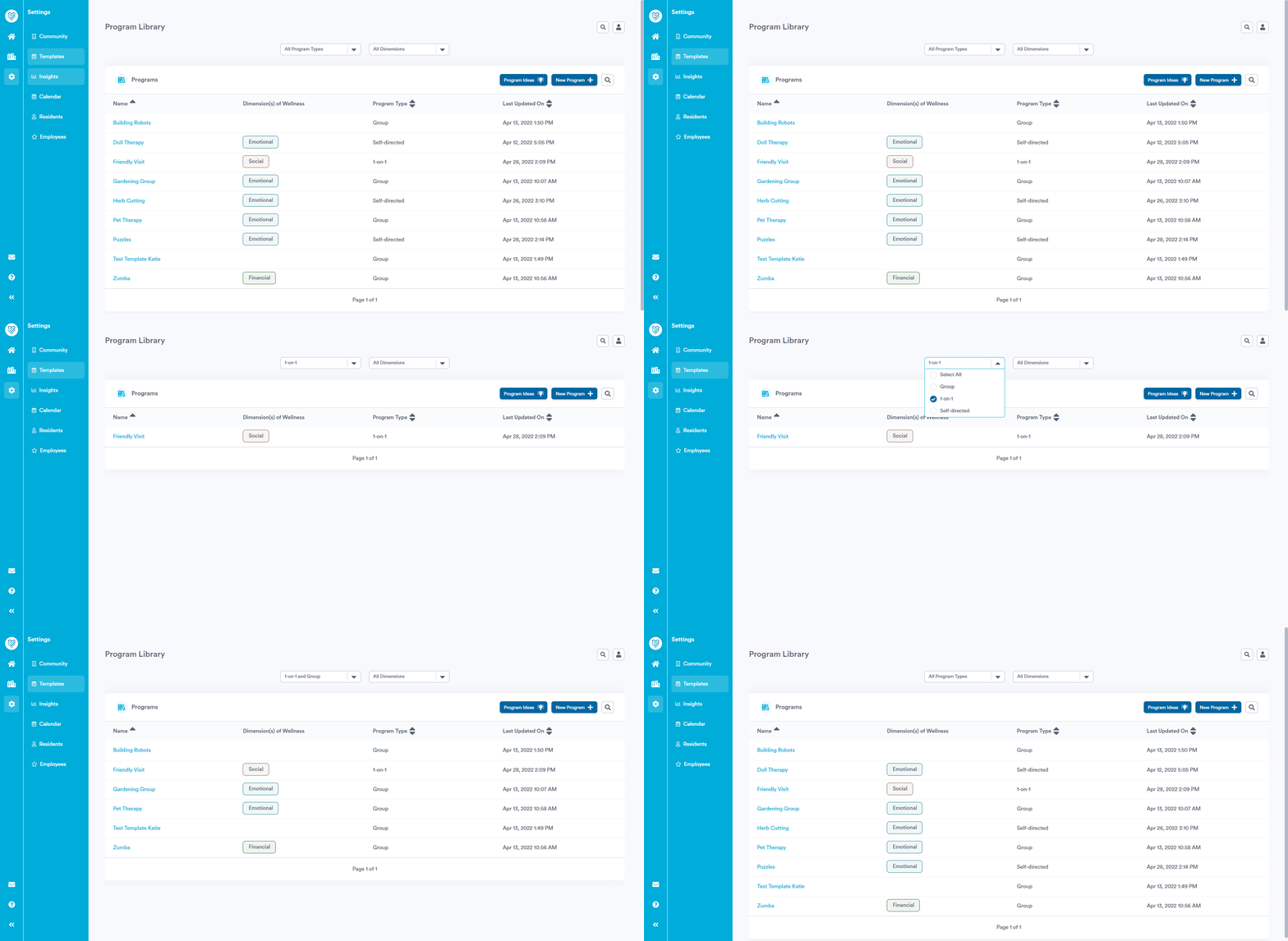
Filter by Program Type & Dimension of Wellness
You now have the option to filter your Template library by Program Type and Dimension of Wellness, to find the programs you're looking for more easily.
Dedicated Fields for Program Guide Information
Next time you open one of your existing Templates (or create a new one), you'll notice you have dedicated fields available to add information about your program, should you wish. We've also made it easier to create custom fields, and added formatting options so you can control the look and feel of your text.

This Program Guide information will also be accessible to your team when taking attendance for the program, for quick and easy reference.
Attendance Updates
A New Home
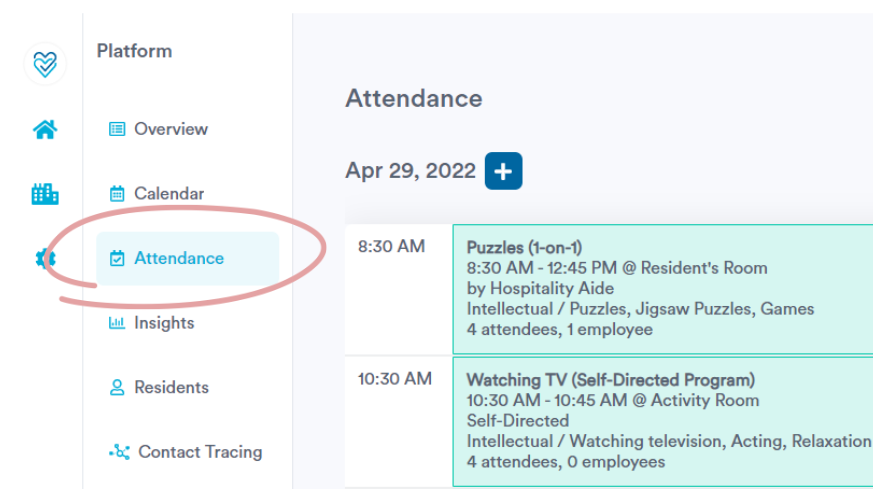
The Attendance page now appears right beneath the Calendar page on the navigation menu, to more closely align with your team's workflow.
Log Group Programs On-The-Fly
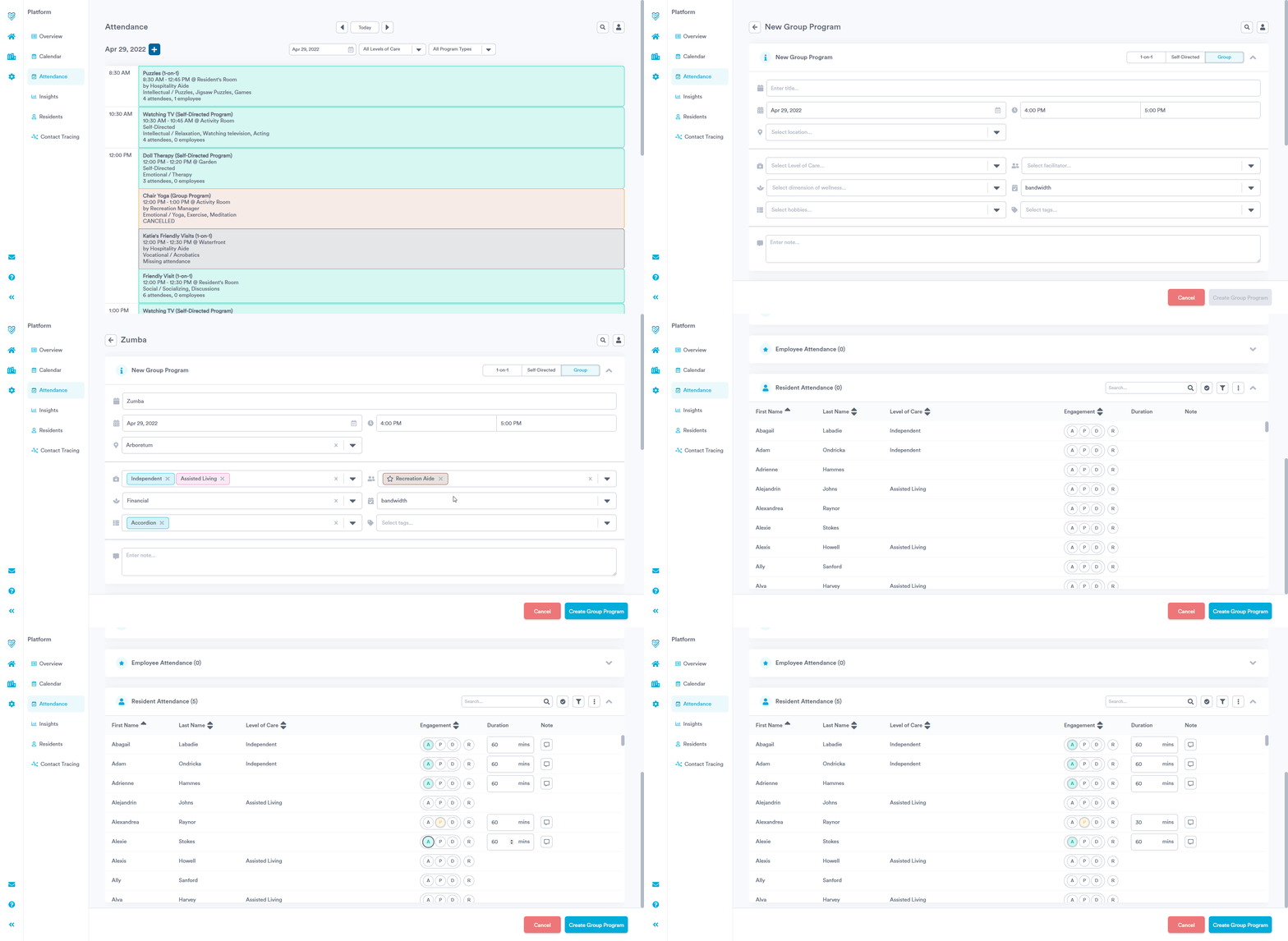
In addition to using the new 'Attendance' page to log your 1-on-1s and self-directed programs, you can now also create and log attendance for group programs that happen on-the-fly without having to go back into your Calendar.
You can also adjust the program duration for resident if needed (for example, if you wanted to capture that a resident was only present for part of the group program). This may be especially relevant for users using Welbi to calculate Recreation Therapy minutes for MDS.
Announcements Are Filtered Out
To simplify your view, Announcements have been filtered out of the 'Attendance' page, since you cannot take attendance for these.
Smaller Updates & Fixes
- Previously, users were missing the option to Delete or Cancel programs created via the 'Attendance' page. This has been resolved.
- Some users reported that they were unable to edit attendance details on 1-on-1 or self-directed programs after initial program creation. This has been resolved.
- When browsing your Templates, they will now be sorted alphabetically by default.