
April 22, 2021
Calendar Updates
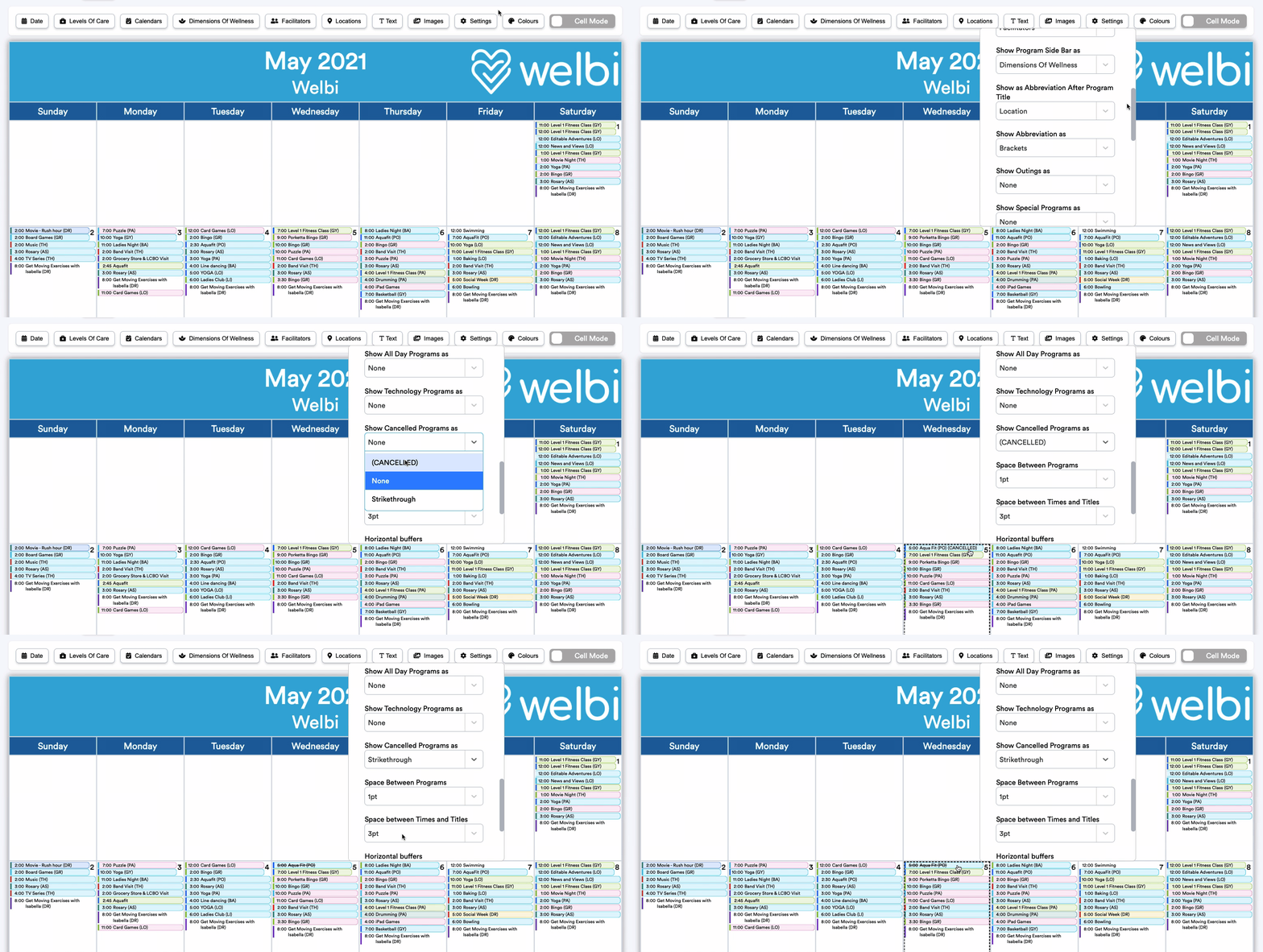
Show cancelled programs on your Print Calendar to keep residents informed
We know that things are changing quickly these days, and it can be hard to make sure that everyone is kept up to speed! To help you keep your residents informed of any programming changes that may pop up, you now have the option to display cancelled programs to your residents on your Print Calendars. If you wish to display your cancelled programs, you'll also have a choice of how you'd like these to appear on your calendar.
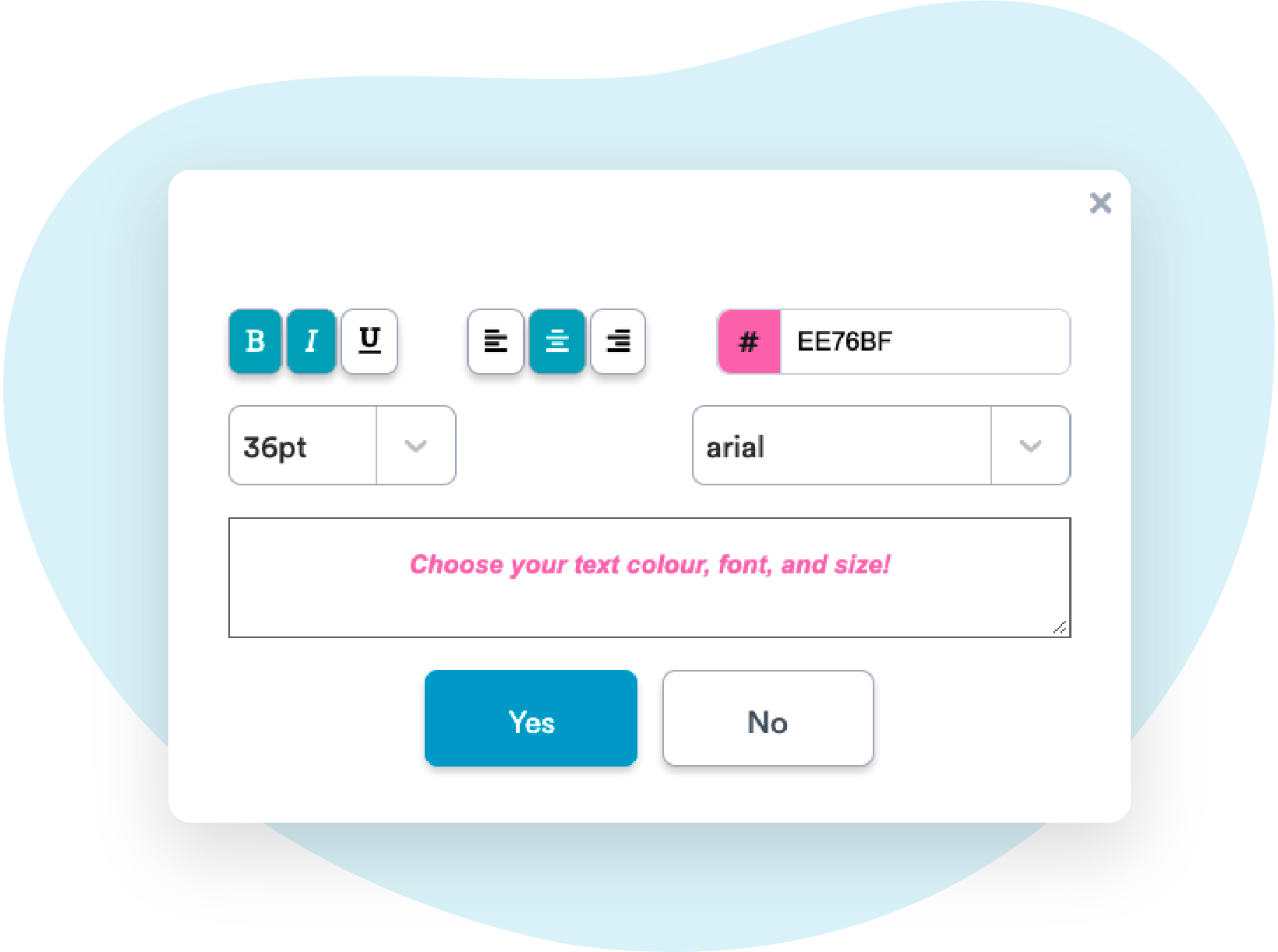
Further customize the text boxes on your Print Calendar with enhanced formatting tools
We've upgraded the Free Floating Text tool on the Print Calendar to give you greater flexibility and customizability when it comes to adding text to your calendars. Specifically, you now have the option to select a font, font size, and choose from more colour options when adding Free Floating Text to your calendars.
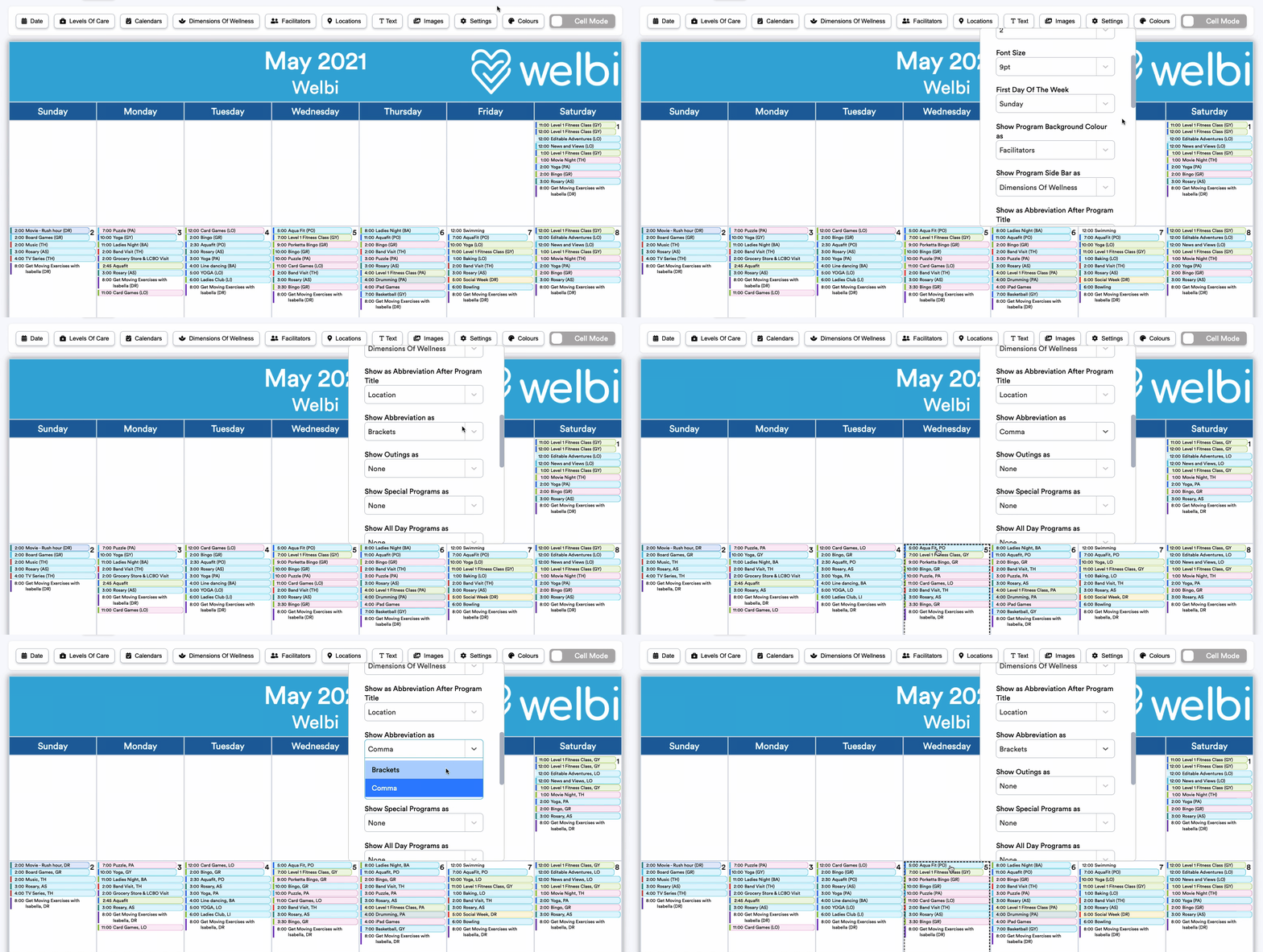
Show Print Calendar abbreviations after a comma or in brackets
While you've always been to display program information as an abbreviation after program titles on your Print Calendar, you now have the option to show your abbreviations in brackets instead of after a comma. The choice is yours!
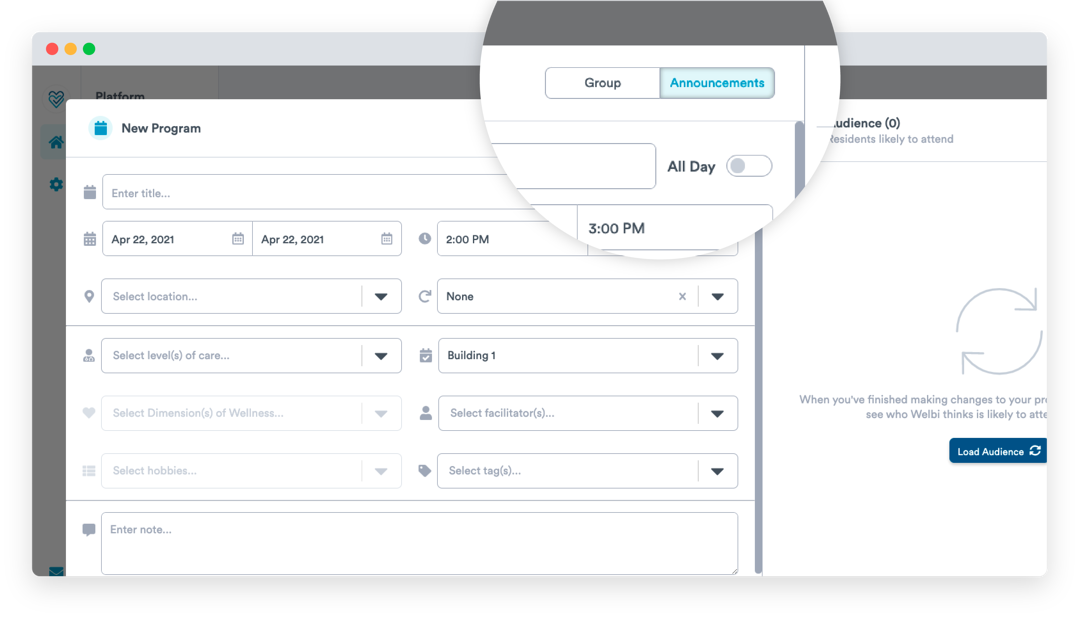
"Administrative" programs have been re-named to "Announcements"
You may have noticed that 'Administrative' programs were recently re-named to 'Announcements'. This name change was implemented after feedback from many users that the original name of 'Administrative' did not accurately describe how this feature works. We agreed, and hope this new name makes things more clear!
'Announcements' are things you wish to communicate to your residents, but that you do not intend to take attendance for. This could include holidays, theme days, fire drills, or any other kind of announcement you'd like to make to your residents.
Remember that unlike Group programs, Announcements can be set to 'All Day'. Any 'All Day' Announcements will appear centered at the top of the specified day in your Print Calendar.
We fixed up our Print Calendar legends
Legends are a great way to provide clarity on your calendar when using abbreviations or special formatting styles for Location, Dimension of Wellness, or Facilitator. Previously, if you chose to include a legend for one of these program fields, but your calendar included programs or Announcements where this field was blank (e.g., a program with no Dimension of Wellness assigned), you would have ended up with a 'None' in your calendar legend.
We heard from a number of users that this was confusing, and we agreed! We've fixed this in our latest round of updates, and you should not see 'None' listed in any of your legends going forward.
Insights Updates
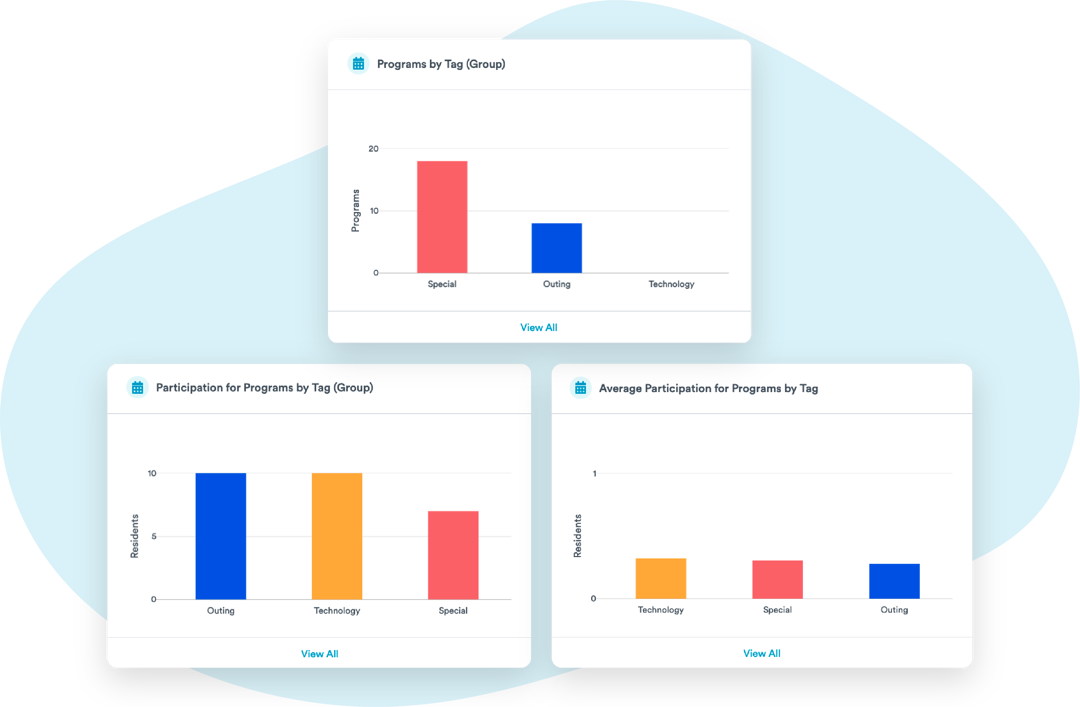
Quickly view insights related to your Program Tags
To help you quickly glean insights related to your Program Tags, we've added a set of new insights to your Program Insights tab called "Programs by Tag".
This set of insights replaces an old set of insights called "Programs in the Others Category", which showed similar information but under a much less specific name!
Smaller Updates and Fixes
- Some users reported an issue whereby the "Show All Day Programs as " Print Calendar setting was not working correctly when set to 'Bold'. This issue is now resolved.
- Some users reported an issue whereby certain custom monthly recurrences were not saving correctly. This issue is now resolved.
- Some users reported an issue with loading assessment answers from previous assessments. This issue is now resolved.