
May 14, 2021
Recommendation Engine Updates
Welbi's Recommendation Engine is a helpful sidekick that can help you and your team get a sense of how many and which residents are most likely to enjoy a given program, based on their past attendance of similar programs.
In this release, we've made some changes to the way Welbi's Recommendation Engine displays residents' Likelihood to Attend with the goal of making this feature more intuitive and easier to understand.
Read on for a refresher on how this feature works, and an overview of the changes included in this release.
'Load Residents' while viewing a program in the Web Calendar
Previously, Welbi's Recommendation Engine lived in a section of the program window called "Audience". This section has been re-named to "Residents Likely to Attend", to more accurately describe what this feature really does.
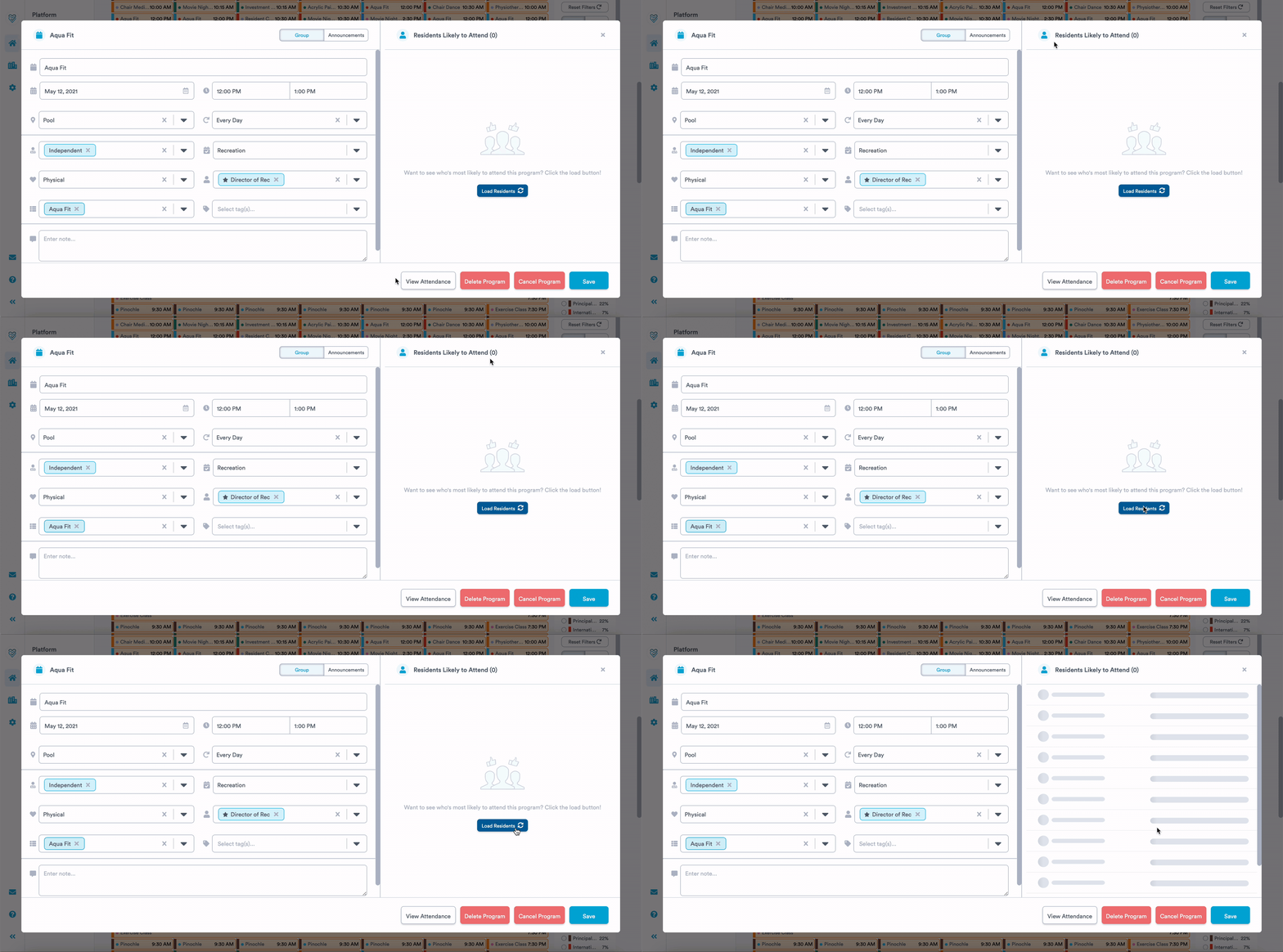
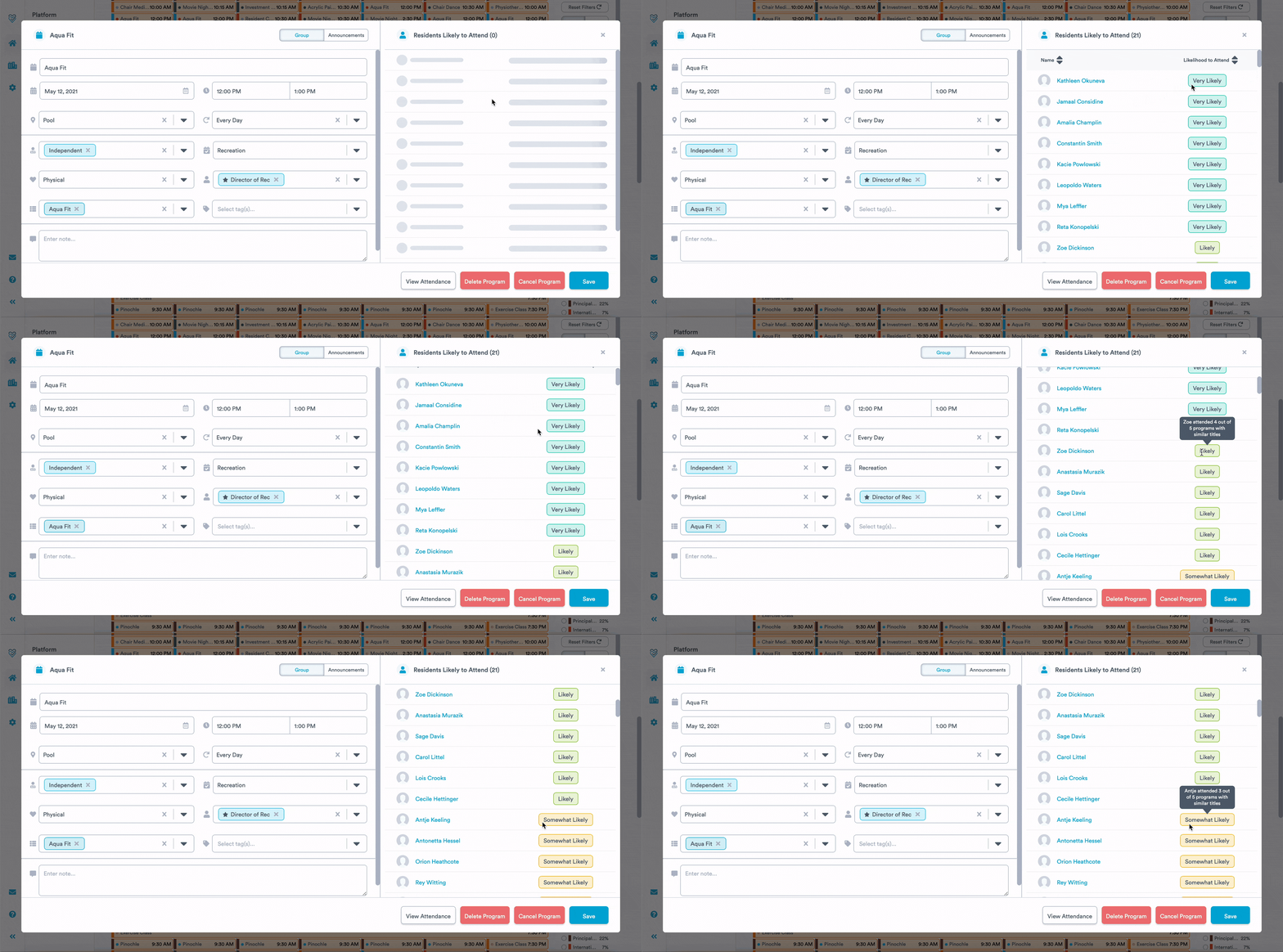
When you click the 'Load Residents' button, Welbi's Recommendation Engine works in the background to review all of your residents' attendance records for similar programs and uses this data to assign each resident one of five Likelihood levels:
- Very likely
- Likely
- Somewhat likely
- Unlikely
- Very unlikely
Once loaded, residents will be appear in the "Residents Likely to Attend" section in order of likelihood. You can hover over the Likelihood level of each resident for more information on how this level was assigned.
Leveraging the 'Likelihood to Attend' column while taking attendance
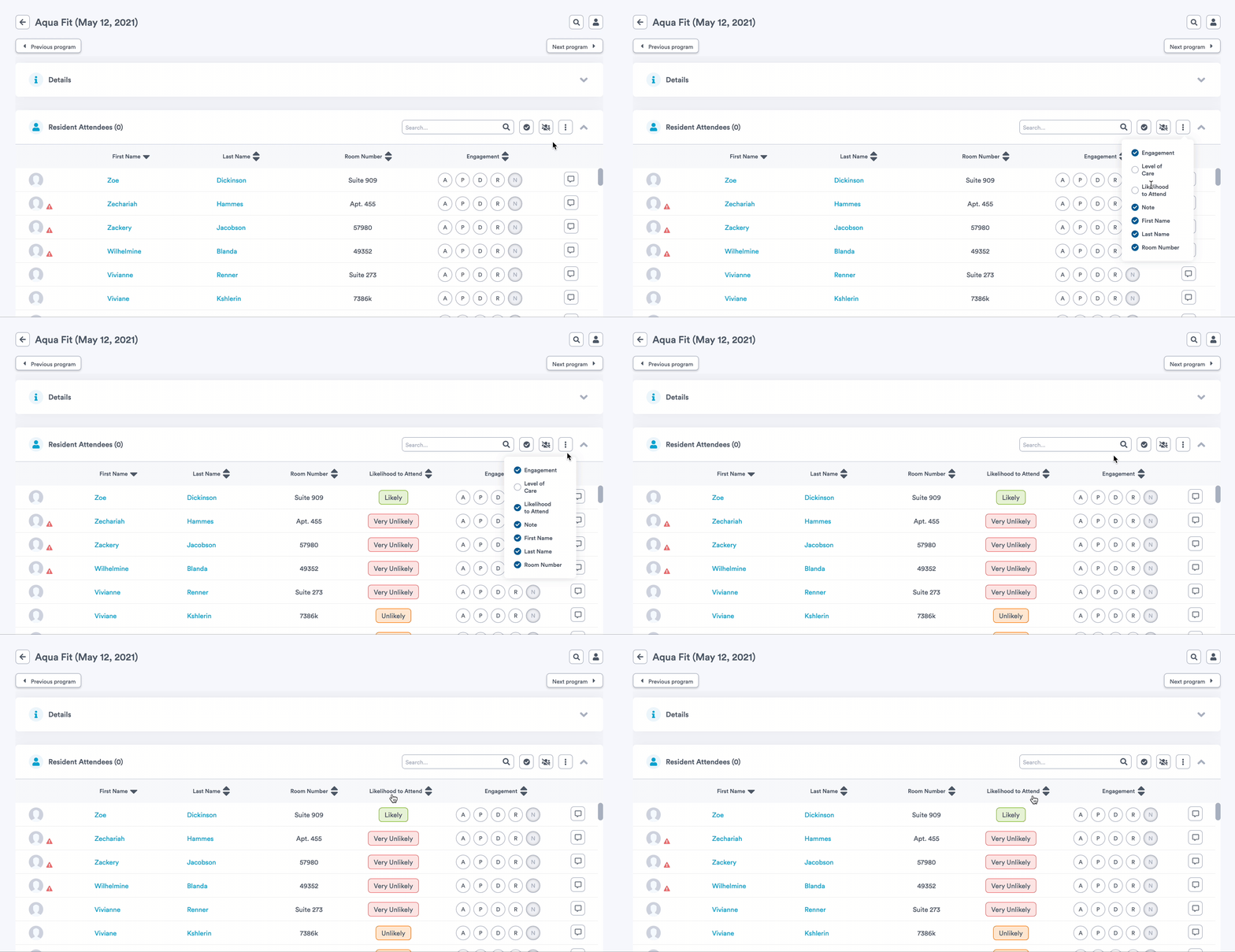
When taking attendance for a program, you can choose to include the 'Likelihood to Attend' column to your Resident Attendees list by accessing the overflow menu (button with three dots).
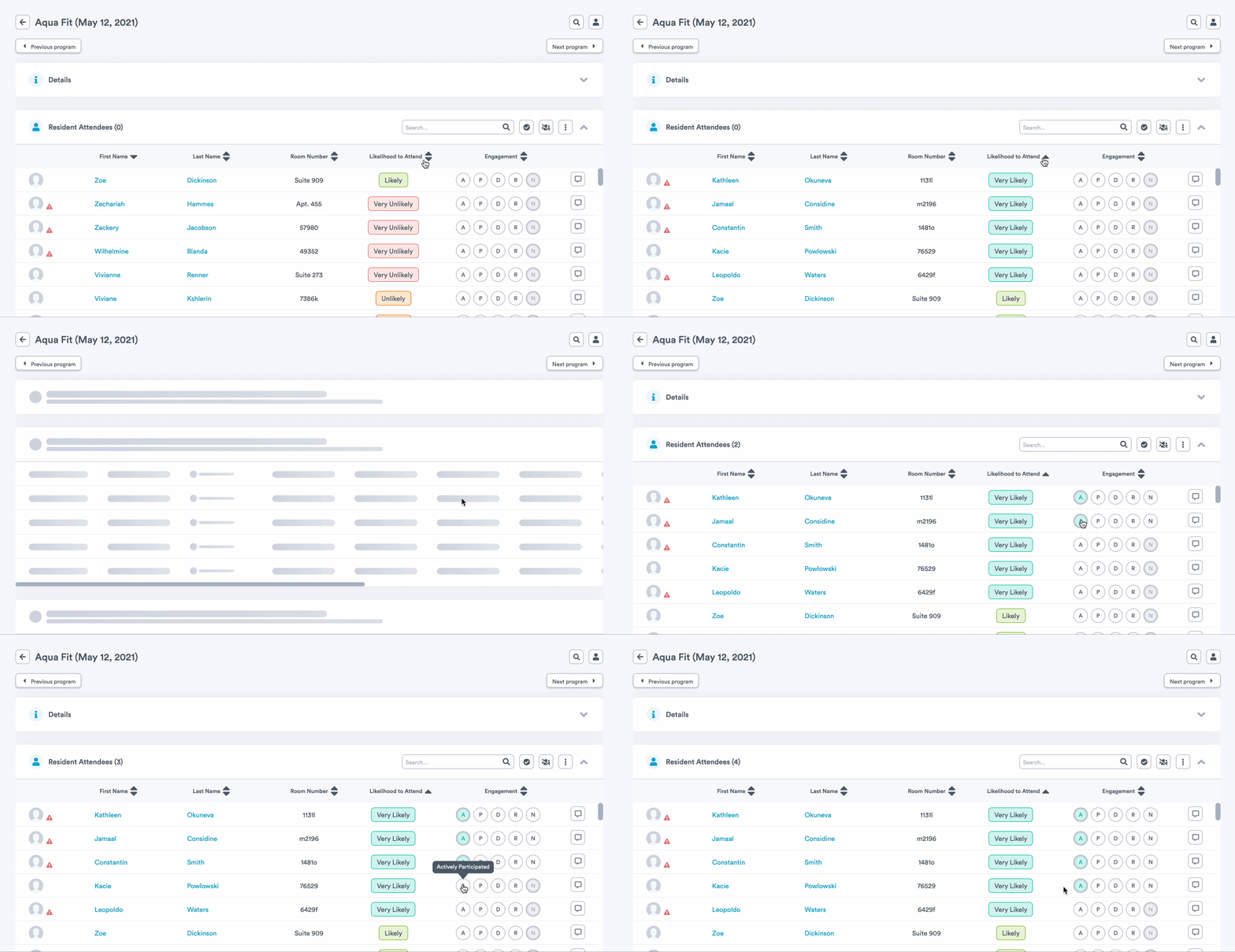
Sorting by this column allows you to quickly see your residents in order of likelihood, with the residents most likely to attend the program appearing at the top of the Resident Attendees list. If you run a recurring program that sees the same residents coming out week after week, sorting by this column can provide a quick and easy way to check off attendance for all of your regulars.
Smaller Updates and Fixes
- The search bar at the top of the Resident Attendees list no longer collapses in between searches, to allow for a more efficient searching experience.
- Some users reported an issue whereby resident profile photos could not be deleted. This issue is now resolved.
- Some users reported issues when trying to remove or update a program's custom recurrence. This issue is now resolved.
- For compliance reasons, residents who move out or pass away should always be 'Deactivated' in Welbi, rather than 'Deleted', so that their records and data are retained. To prevent the unintentional deletion of resident data from Welbi, we have removed the 'Delete' button from Resident Profiles. Should you encounter a situation where hard deletion of a resident is required (e.g., a resident is added in error or in duplicate, etc), please reach out to support@welbi.co and we will be happy to assist with this.